
Providing feedback
Quickly share suggestions, ask questions about the data or report a problem directly from within the RenewMap platform.
Providing feedback in RenewMap
Your feedback helps the RenewMap team improve the product, refine the dataset and resolve any problems faster.
You can use the feedback form to:
- Suggest an improvement – share ideas for new features or ways the platform could work better.
- Ask a question about the data – request clarification about project information, status updates or data fields.
- Report a problem – flag unexpected behaviour in the platform.
All feedback submitted through the form is reviewed by the RenewMap team.
How to submit feedback
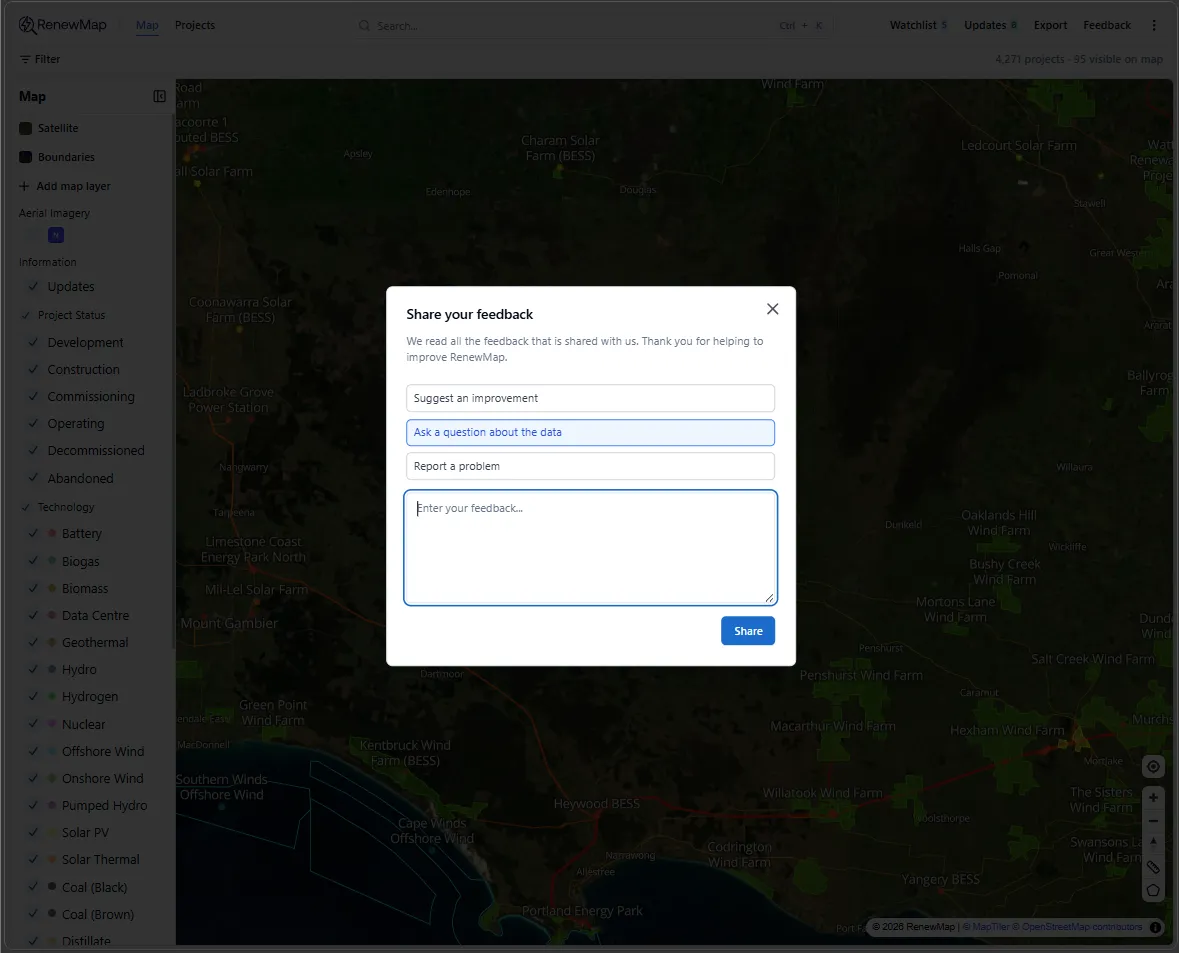
To send feedback from within RenewMap:
- In the top navigation bar, select Feedback.
- The Share your feedback modal opens.
- Choose the type of feedback you want to provide.
- Enter the details of your feedback in the text field.
- Select Share to submit your message.
Tips for helpful feedback
Providing a little extra context helps us investigate issues more quickly. When possible, include:
- The project name or location you are referring to
- A description of the issue or question
- Steps that led to the problem (if reporting a bug)
The RenewMap team reviews all feedback submissions. Depending on the type of request, we may:
- Clarify project data or methodology
- Investigate and fix issues in the dataset
- Consider feature suggestions for future releases
For complex questions or follow-ups, the team may contact you directly.